09 Jun
   Filed Under: Apple, Design, Goodies, Icon Design, Personal Work   

I’ve updated the iPhone / iPad icon PSD I released not too long ago with some fixes and a 114×114 pixel icon template for designing icons for Apple’s hottest new device.

Download it here. I cannot be held responsible for inaccuracies, flaws and errors in this this PSD I might have overlooked, but if you notice anything please let me know in the comments.

Again, if you appreciate it, tweet this to help your fellow designers and developers make nicer icons for iPhone 4 (and beyond).

01 Feb
   Filed Under: Goodies, Icon Design, iPad, iPhone   

Update: Get the updated version.

As there’s a tendency lately to release lots of (often less-than-pixel-accurate) PSD templates of iPad UI elements, I’ve decided to work with my good friend, Sean Patrick O‘Brien to create a PSD based off the exact overlays, outlines, and masks the iPhone and iPad OS use to mask icons.

This lets you preview the pre-supplied gloss, or modify it. It’s made up entirely of shape layers and layer effects and should be completely pixel-accurate. If you use it, credit is welcome — it’s not required, though.

I’d appreciate it if you let others know about the PSD if you grab it. Tweet this or blog it. Thank you!

iPhone Resource will obviously have templates like this with actual sample icons (and some recreated Apple icons) once it’s out. Consider this a small goodie until iPhone Resource and Composition is out (yes, the latter is in development, but it’ll take much longer than expected).


03 Dec
   Filed Under: Goodies, Icon Design, Personal Work   

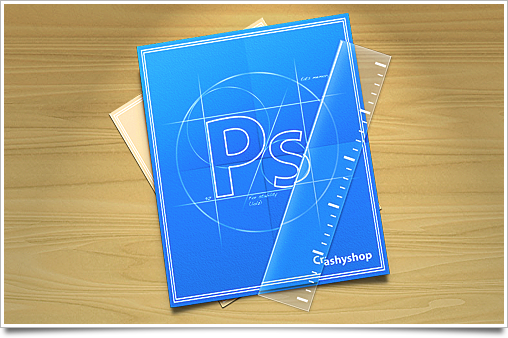
A quick replacement icon for Photoshop. Blue squares (or cubes) don’t really qualify as icons for me, and I’ve been going between replacement icons for too long. I just wanted something similar to the Apple-supplied developer tools’ icons, so here you go.

Photoshop-icon

Grab the icon here:

As usual, I’d like you to use it for personal computer customization only. Not endorsed by Adobe Systems Inc. in any way.

15 Nov
   Filed Under: Gaming, Goodies   

In this day and age, with a variety of handheld and TV-set bound consoles vying for the attention of the modern gamer, making a distinctly different and yet approachable game is a challenge worthy of a Nobel Prize. If there actually were such a thing, id Software‘s web-savvy Quake Live would be a worthy nominee.

quake-live

Quake Live is actually the (almost) 10-years old Quake 3 Arena with a lot of tweaks and adjustments. Not only have the graphics been improved: the overall gameplay has been balanced, and the entire game is launched through a website that also facilitates chatting and meeting friends, keeping tracks of your statistics, and finding servers to play on. It’s also entirely free. There’s no catch.

A Quake 3 / Quake Live icon is included in this post, so you can put it in your Dock when this all sounds appealing.
Continue reading…

30 Jun
   Filed Under: Goodies, Wallpapers   

After Apple showed off its new Snow Leopard artwork and packaging, I immediately wanted to update my previous wallpaper, which was based on the first artwork Apple had made for it. However, I had a lot of other things to do during and after WWDC. Now, finally, after a few weeks of picking away at this during night hours, I present you new Snow Leopard wallpapers. There’s even a Server edition.

snowleopard-wallpapers

By popular demand, versions have also been included without the giant ‘X’.

It goes without saying that this wallpaper is intended for personal usage and desktop customization only. I cannot guarantee your safety if you use it on cars, nuclear devices, and other things that are obviously not your desktop. Mac OS X 10.6 ‘Snow Leopard’ is © 2009, Apple Inc.

30 May
   Filed Under: Goodies   

After months of searching for a video converting app that would let me choose audio and subtitle tracks contained in the ubiquitous MKV format (which is very common for anime) and re-export it to an iPhone or PS3-ready video with or without burned in subtitles, I gave up. There simply wasn’t an app that would let me do it without undertaking at least 10 manual steps with dubious command-line software and a lot of script rummaging.

Then I found MKVTools. It’s not just super-fast (my previous alternative was Perian+Quicktime, which made gorgeous subtitles, but exporting literally took hours), but it also lets me pick audio/video/subtitle tracks, and 1-click convert it to something my iPhone can play. It’s free, to boot (a few advanced features like queuing are unlocked for a tiny 5 dollars).

mkvtools-replacement-icons

The UI and the icon of the app are not that great, unfortunately. I can’t do much about the UI, but here are two nice icons so you can keep it in your dock without flinching. As a bonus, there is an alternative to the modern aluminium replacement icon in ‘toolbox red metallic’ included.

MKVTools can be downloaded here. Icons are for personal usage only.