09 May
   Filed Under: Drawing, Personal Work   

As I mentioned in my Pokémon brands post, sometimes the strangest ideas hit you, and given their perceived coolness, they stick in your mental lists of weird things you should indulge in as a designer. Ever since I got my Airport Express and took it out of the box, I thought it resembled a robot head. A cyclops robot head, perhaps, but a robot head nevertheless. After that, I couldn’t stop thinking of the ways my hardware tools could come to life in robot form. I did a few speedpaints to see how that would look.

airpot

I know, I know, I totally promised to update weekly or at least biweekly on my tablet progress, but life’s not always easy that way. Right now, I’ll try to do something monthly, because it’s a lot of fun to do.

Continue reading…

07 May
   Filed Under: iPhone, Personal   

Steven Frank puts into words what we’ve all been feeling for almost a year:

It continues to kill me, seeing that iPhone apps are still getting rejected for ridiculous reasons.

The Cocoa Touch platform is so great, and this approval nonsense is so absurd that it’s hard for me to reconcile.

Almost a year now, and Apple still has a stranglehold on the platform. I’m an adult, and I am quite sure most iPhone owners are adults, but apparently there still needs to be someone who decides that I can’t use anything that has as much as a nipple in it on my phone. In the mean time, people I know that aren’t very tech-savvy have heard about the news buzz over strange App Store screwups and get completely turned off.

I’m not afraid of competition to the iPhone. I’d be really happy with a good competitor to keep Apple on its toes. I’m much more afraid, however, that something that is qualitatively far worse (but ‘good enough’) than the iPhone platform comes along and wins out because it’s perceived as being more open and people feel like they can do with it what they want. Which may be some really stupid stuff that Apple doesn’t allow on their store. The platform just needs to be ‘good enough’ and not buried in critical news coverage.

Sounds a bit like the old Mac vs. IBM PC battle for supremacy, doesn’t it? We all know how that one ended.

06 May
   Filed Under: Commercial Work, iPhone, Software Releases   
groceries

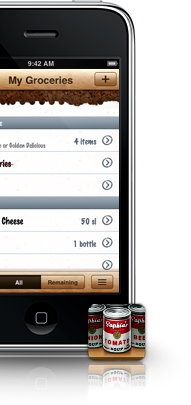
With its .99 dollar sale price and upcoming 2.0 update, Groceries warrants a blog post. I’ve worked with Sophia to make a few icons for this great, polished iPhone app. I can’t go to the supermarket without it anymore.

If you’re not so sure about why you’d want to have a shopping list application on your iPhone, you can do what I did; go through your iPhone notes and discover a few dozen old shopping lists, and then reminisce about that last time you were in the store and wanted to add something to the list. Kind of annoying, isn’t it? Groceries has almost all possible items you can encounter while you’re out shopping in its database, and lets you add them to the list with but a few virtual keystrokes or taps.

Grab Groceries (link opens iTunes) for $ 0.99 during its sale.

And yeah, doing some testing of layout features of Cocoia Blog 3.1 here. If you see general weirdness ensue, please bear with me or report the weirdness to me via Twitter or email.

16 Apr

Currencies by iPhone app maker Edovia (known from Apple TV ads featuring Rocket Taxi) has been submitted to the App Store. It was a real joy working with Luc on this simple, straightforward, yet powerful currency converter.

blog

I’m not sure about you, but before I had a build of Currencies on my iPhone, I used Google for my conversions between ten and twenty times each day (thanks to American clients and my love for Japanese collectibles). I am very happy to have something much more elegant now, and I’m eager to see this application hit the App Store to read user feedback.

It’s available right now, for $0.99 in the App Store: Click here to go open iTunes and go straight to the application page.

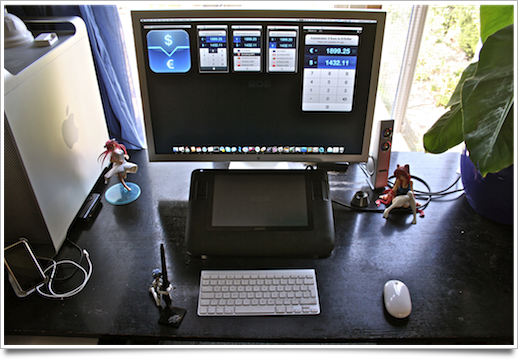
While working on Currencies, I also made some images of my new workspace. I get a lot of questions over email or twitter about the way I got my desk set up, and it’s been moved in such a way that I can now fully enjoy this year’s summer season without having to suffer ‘withdrawal symptoms’ from not being with my dear workstation. I got some really neat Japanese figures and mecha set up on it (some from Japanese clients), which I will blog about sooner or later.

workstation

Click here to go to Flickr and see more images of the figures and angles of the workspace. This setup with the Wacom Cintiq is really enjoyable; I can just put aside the bluetooth keyboard and (not-so-mighty) mouse and then just draw and doodle at my leisure. Splendid.

17 Mar
   Filed Under: Apple, Design, Interface Design, iPhone   

Apple’s iPhone software 3.0 event came and went without a mention or hint at new hardware. There have been a lot of rumors about a possible new iPhone, and a lot of these rumors assumed a potential connection between this new software for the iPhone and the new hardware, which could be unveiled around the time of WWDC this year.

I posed a question on Twitter earlier today, and since there’s (unsurprisingly) been no mention of it today, I wanted to get my thoughts down on this difficult issue Apple faces when it comes to the future of the iPhone platform. At some point in the future, iPhones and iPod touches will get a better screen, with a better resolution. A good example is the move of Apple’s flagship notebook, the Macbook Pro 17″, from a 1680 by 1050 pixel resolution screen, to a high-DPI (dots per inch) screen boasting an impressive 1920 by 1200 pixels. The screen remained the same size in inches; it just packed a lot more pixels in each inch of screen size.

This happens in the arena of mobile devices as well. Some modern cell phones feature screens with a massive resolution of 800 by 600 pixels; comparably, the iPhone offers a ‘meagre’ 480 by 320 pixels. In the future, Apple will change to a better (not necessarily ‘bigger’) screen, and developers of iPhone apps will face a huge issue: how do we scale the interface?

Continue reading…

24 Feb
   Filed Under: Apple, Interface Design, News   

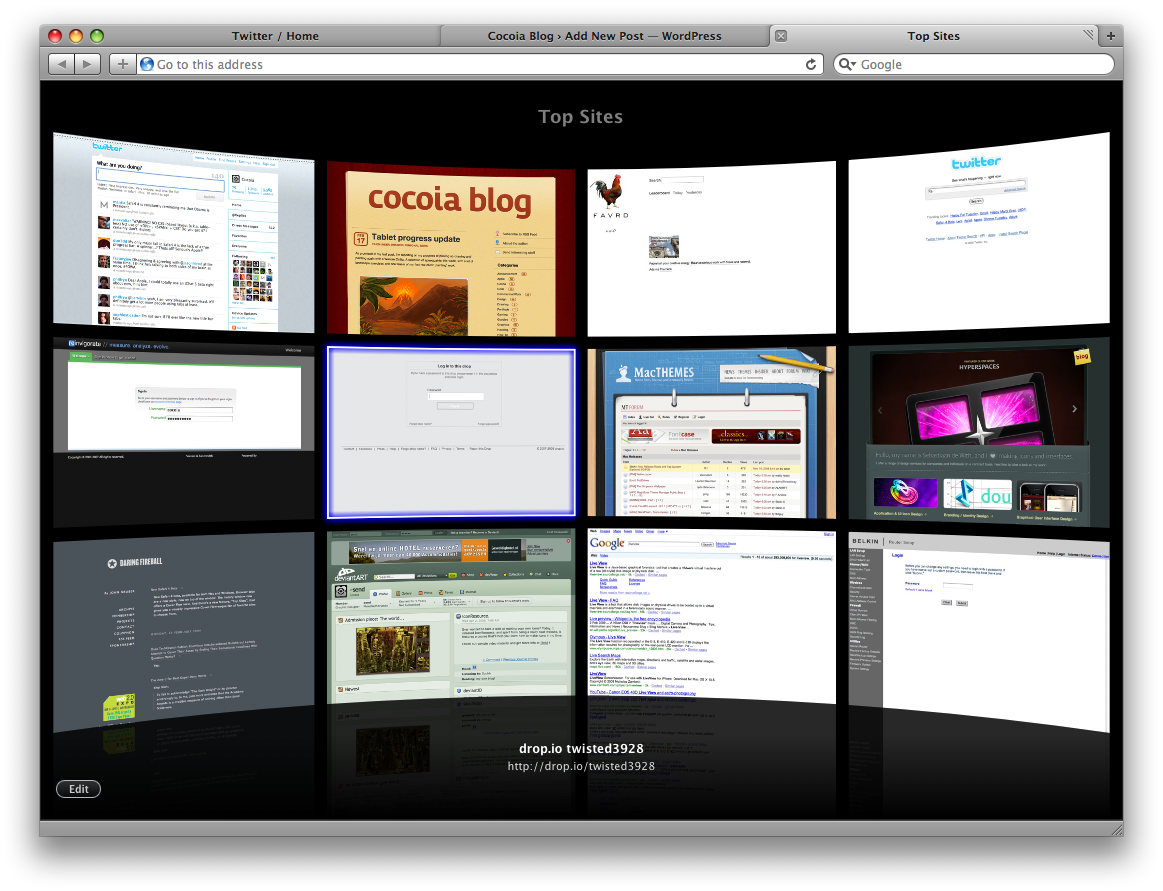
Well, another day, another major browser beta; Safari 4 went public beta today, with a lot more UI changes and additions than we’d all expected from the limited developer preview that was released months ago.

picture-8

Notably, Safari adds tabs to the top of the window (seemingly ‘aping’ Google’s Chrome, which isn’t out for Mac yet) and several new features for visual browsing (nevermind my own ‘top sites’; I haven’t used Safari for months). It sort of took me back for a second to the time where I mocked up the ‘dream browser’.

Using it casually, I found there’s also some other, more subtle changes and additions that made me really enjoy giving this beta a spin, and perhaps will sway me into using Safari a lot more (provided I can find a working Adblock extension).

Continue reading…